Explore the best baby tracking apps for new parents in 2026 and simplify daily caregiving tasks effectively.
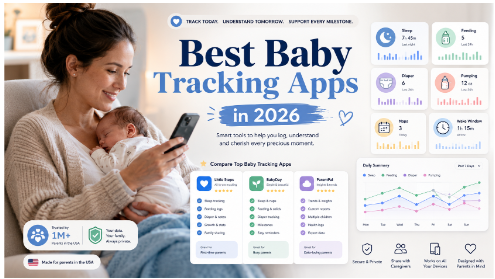
Best Baby Tracking Apps for New Parents in 2026
New parents have a lot to remember: the last feed, the next nap, diaper changes, pumping sessions, wake windows, medications, growth updates, daycare notes, and pediatrician questions. When you are sleep-deprived, even a simple question like “When did the baby last eat?” can become hard to answer.
That is why the best baby tracking apps are so useful for new parents in 2026. A good baby tracker helps you record your baby’s daily routine, understand patterns, share updates with another caregiver, and feel more organized during the newborn stage.
But the category has changed.
Parents no longer want apps that only work like digital notebooks. Manual tracking can become tiring after a few weeks, especially when every bottle, diaper, nap, and wake-up requires multiple taps. Modern parents want baby tracking apps that are faster, easier, smarter, and realistic to use at 3 a.m.
In this guide, we compare the best baby tracking apps for new parents in 2026, including Robin Baby, Huckleberry, Napper, and Nara Baby. We focus on what matters most in real life: fast logging, sleep tracking, wake window support, caregiver sharing, voice logging, smart insights, free features, and long-term usability.

TL;DR: Best Baby Tracking Apps in 2026
| App | Best For | Standout Feature | Free Plan | Best Fit | Google Play Link | App Store Link |
| Robin Baby | Smarter baby tracking | Voice logging, daycare note scanning, ask-your-data insights | Yes | Parents who want faster, lower-effort tracking | Google Play | App Store |
| Huckleberry | Sleep tracking and wake windows | SweetSpot sleep prediction and sleep guidance | Yes, with paid upgrades | Parents focused on sleep routines | Google Play | App Store |
| Napper | Nap schedules and sleep prediction | Data-based nap and bedtime predictions | Limited/free trial model may vary | Parents who mainly want sleep help | Google Play | App Store |
| Nara Baby | Free traditional tracking | Free and ad-free baby and parent tracking | Yes | Parents who want a simple manual tracker | Google Play | App Store |
What Is a Baby Tracking App?
A baby tracking app is a mobile app that helps parents record and monitor a baby’s daily activities, such as feeding, sleep, diapers, pumping, growth, medication, milestones, and routines.
The best baby tracking apps do more than store logs. They help parents answer practical questions like:
- When did my baby last eat?
- How long was the last nap?
- How many wet diapers did we have today?
- Are night wakings improving?
- Which side did I last nurse on?
- Is the baby’s routine becoming more predictable?
For newborn parents, this information can be helpful during pediatrician visits, late-night handoffs, daycare transitions, and shared caregiving.
Search Intent: What Parents Actually Want From “Best Baby Tracking Apps”
The keyword “best baby tracking apps” has mixed search intent.
Parents searching this phrase usually want:
- Informational help — They want to understand what a baby tracking app does and whether it is worth using.
- Commercial comparison — They want to compare top apps before downloading one.
- Decision-making support — They want to know which app is best for sleep, feeding, free tracking, voice logging, or caregiver sharing.
- Practical recommendations — They want an answer that fits their situation, not just a generic list.
That means the article should not only list apps. It should help parents choose the right app based on their real needs.
What Makes the Best Baby Tracking Apps Worth Using?
A great baby tracking app should reduce mental load, not add more work.
Here are the most important features to look for in 2026.
1. Fast Logging
New parents often log while holding a baby, preparing a bottle, pumping, or trying not to wake anyone up. If an app requires too many taps, parents may stop using it.
The best apps make it easy to log common events quickly:
- Breastfeeding
- Bottle feeding
- Pumping
- Diaper changes
- Sleep
- Wake-ups
- Medication
- Growth
- Solids
- Notes
2. Sleep Tracking and Wake Window Support
Sleep is one of the biggest reasons parents download baby tracking apps. Many parents want help understanding naps, wake windows, bedtime timing, and night waking patterns.
Huckleberry, for example, is known for its SweetSpot sleep timing feature, which predicts when a baby may be ready for sleep based on age-appropriate wake windows and tracked sleep patterns.

3. Shared Caregiver Sync
A baby tracker becomes much more useful when both parents or caregivers can access the same information.
This is helpful when:
- One parent handles nights and the other handles mornings.
- A grandparent or nanny helps during the day.
- A baby attends daycare.
- Parents want consistent routines across devices.
Huckleberry and Nara both mention caregiver or multi-device syncing features in their app descriptions.
4. Smart Insights
Basic tracking tells you what happened. Smarter tracking helps you understand what it means.
Useful insights may include:
- Average daily feeds
- Sleep totals by day or week
- Longest sleep stretch
- Nap consistency
- Diaper patterns
- Feeding trends
- Growth progress
- Doctor-ready summaries
In 2026, more parents are looking for apps that can answer questions from their logs instead of forcing them to manually study charts.
5. Low Mental Load
The biggest problem with baby tracking is not lack of features. It is consistency.
Parents may start strong during the newborn phase and then stop tracking because the process feels like another task. Apps with voice logging, photo logging, simple cards, and clear summaries can be easier to maintain.
Best Baby Tracking Apps: Quick Comparison
| Feature | Robin Baby | Huckleberry | Napper | Nara Baby |
| Feeding tracking | Yes | Yes | Yes | Yes |
| Sleep tracking | Yes | Yes | Yes | Yes |
| Diaper tracking | Yes | Yes | Yes | Yes |
| Pumping tracking | Yes | Yes | Yes | Yes |
| Voice logging | Strong focus | Available in paid AI logging features | Not core focus | Not core focus |
| Daycare note scanning | Yes | Photo/text AI logging in paid tier | Not core focus | Not core focus |
| Wake window support | Yes | Strong | Strong | Basic |
| Smart answers from logs | Strong focus | AI guidance in premium tier | Limited | Limited |
| Best for | Smarter, easier tracking | Sleep guidance | Nap prediction | Free manual tracking |
1. Robin Baby
Best for Smarter Baby Tracking and Voice Logging
Robin Baby is one of the most interesting baby tracking apps for parents who want tracking to feel easier, faster, and less manual.
Its main advantage is that it focuses on reducing the effort required to log daily baby activity. Instead of only relying on traditional tap-based logging, Robin Baby allows parents to log by voice, scan daycare notes, and ask questions about their baby’s day.
According to Robin Baby’s official site, parents can log feeds, sleep, and diapers by voice, snap daycare notes, and ask questions such as which side they last nursed on or when the baby last napped.
This is useful because real parenting rarely happens in perfect conditions. Parents may be holding a baby, standing in a dark room, preparing a bottle, or trying to log quickly between tasks. Voice logging can make tracking feel less like admin work.
Key Features
- Voice logging for feeds, sleep, diapers, and daily notes
- Daycare note scanning
- Sleep and feeding tracking
- Ask-your-data style answers
- Personalized sleep forecast
- Caregiver-friendly tracking
- Flexible manual logging options
Why Parents May Like It
Robin Baby is best for parents who want quick answers, not just charts.
Instead of opening a log and manually calculating what happened, parents can use it more like a memory assistant. For example:
- “How much did she drink today?”
- “When was the last nap?”
- “How many diapers did we log this week?”
- “Is sleep improving compared to last week?”
This is especially useful for parents who want to keep tracking after the newborn stage, when manual logging often becomes harder to maintain.
Pros
- Excellent fit for hands-free or low-effort logging
- Strong focus on voice input
- Helpful for daycare notes
- Good for parents who dislike excessive tapping
- Useful for quick questions from past logs
- Modern, practical approach to baby tracking
Cons
- Newer than long-established baby tracking apps
- Some advanced features may require a paid plan
- Parents who prefer simple manual tracking may not need all smart features
Best For
Choose Robin Baby if you want a baby tracking app that feels faster, more conversational, and easier to use during real-life parenting moments.
2. Huckleberry
Best for Baby Sleep Tracking and Wake Windows
Huckleberry is one of the best-known baby tracking apps for sleep-focused parents. It is especially popular because of its sleep tracking, wake window support, and SweetSpot sleep prediction feature.
Huckleberry’s app listing includes one-touch tracking for sleep, diaper changes, feedings, pumping, growth, potty training, activities, and medicine. It also supports multiple children, reminders, and syncing across caregivers and devices.
Its paid Plus and Premium features include SweetSpot sleep prediction, schedule creation, enhanced reports, AI logging, and expert-vetted AI chat features, depending on the plan.
Key Features
- Sleep tracking
- SweetSpot sleep prediction
- Wake window guidance
- Feeding, diaper, pumping, and growth logs
- Multi-caregiver sync
- Reminders
- Sleep plans and reports in paid tiers
Why Parents May Like It
Huckleberry is a strong option for parents who feel overwhelmed by naps and bedtime timing.
The app’s SweetSpot feature is designed to estimate when a baby may be ready for sleep based on age and tracked sleep data. Huckleberry also advises parents to treat SweetSpot like a guide and still watch for sleepy cues in the moment.
That balanced approach matters. Sleep predictions can be helpful, but they should not replace common sense, pediatric advice, or a parent’s observation of their baby’s cues.
Pros
- Strong sleep tracking reputation
- Helpful wake window guidance
- Good for nap and bedtime planning
- Supports core baby tracking categories
- Caregiver syncing
- Established brand in baby sleep
Cons
- Some of the most useful features are paid
- The app may feel more sleep-focused than all-purpose
- Parents who want faster conversational logging may prefer newer tools
Best For
Choose Huckleberry if sleep timing, nap routines, wake windows, and structured sleep guidance are your top priorities.
3. Napper
Best for Nap Prediction and Sleep-Focused Parents
Napper is a baby sleep app built around nap schedules, wake windows, and bedtime prediction. It is a good fit for parents who mainly want help understanding when their baby may be ready for sleep.
Napper’s official site emphasizes baby sleep tracking and sleep schedule support, while its app listing describes baby tracking for sleep, breastfeeding, solids, medication, and bottle feeding. The App Store description says Napper uses data and algorithmic prediction to estimate naps and bedtime.
Key Features
- Nap prediction
- Bedtime prediction
- Wake window support
- Baby sleep tracking
- Feeding and medication tracking
- Sleep sounds and white noise
- Sleep schedule support
Why Parents May Like It
Napper works best for parents who want a focused sleep tool instead of a broad parenting app.
It can help parents who are asking questions like:
- “When should the next nap be?”
- “Is my baby overtired?”
- “How long should this wake window be?”
- “Can I build a more predictable sleep routine?”
Wake windows can be especially helpful during the first year, when babies’ awake time changes quickly. Napper’s own educational content explains that newborn wake windows may be short and increase as babies grow.
Pros
- Strong focus on sleep and naps
- Simple for parents who mainly care about sleep
- Includes sleep sounds
- Useful for wake window planning
- Less overwhelming than full-featured parenting apps
Cons
- Not as broad as some all-in-one baby trackers
- Less focused on smart answers from all baby data
- Advanced sleep prediction may depend on paid access or trial structure
Best For
Choose Napper if your main goal is improving nap timing, bedtime planning, and sleep rhythm.
4. Nara Baby
Best Free Baby Tracking App
Nara Baby is a strong choice for parents who want a free, simple, traditional baby tracker.
Nara’s Google Play listing describes it as a free and ad-free app for tracking diapers, feedings, pumping, sleep, wake windows, pregnancy, and postpartum health.
The official Nara site positions the app as a shared hub for newborn routines and postpartum care, including feeding, naps, diapers, pumping, medications, diet, hydration, sleep, and mood tracking for the parent.
Key Features
- Feeding tracking
- Diaper tracking
- Sleep and nap tracking
- Pumping logs
- Wake window tracking
- Pregnancy and postpartum tracking
- Shared caregiver access
- Multiple child tracking
Why Parents May Like It
Nara Baby is ideal for parents who want a calm, clean, free tracker without feeling pushed into subscriptions.
It covers the basics very well:
- Breastfeeding
- Bottles
- Pumping
- Diapers
- Sleep
- Routines
- Parent wellness
For many families, that is enough.
Pros
- Free and ad-free
- Clean interface
- Covers core baby tracking needs
- Includes parent wellness tracking
- Good for multiple children or twins
- Helpful for shared caregiving
Cons
- Less advanced smart insight functionality
- Manual logging may become tiring over time
- Not as focused on AI-style answers or voice-first tracking
Best For
Choose Nara Baby if you want a reliable free baby tracking app for everyday manual logging.
Which Baby Tracking App Should You Choose?
The best baby tracking app depends on what kind of parent experience you want.
Choose Robin Baby if:
- You want faster logging
- You prefer voice logging
- You want to scan daycare notes
- You want quick answers from baby logs
- You dislike excessive tapping
- You want tracking to feel less like a chore
Choose Huckleberry if:
- Sleep is your biggest concern
- You want wake window support
- You like structured nap and bedtime guidance
- You want sleep reports and sleep plans
- You are willing to pay for deeper sleep features
Choose Napper if:
- You mainly care about naps
- You want a sleep-focused app
- You like simple wake window guidance
- You want bedtime prediction
- You do not need a full all-in-one parenting platform
Choose Nara Baby if:
- You want a free baby tracker
- You prefer traditional manual logging
- You want an ad-free experience
- You want to track both baby and parent wellness
- You need a simple shared family tracker
Best Baby Tracking App by Use Case
| Use Case | Best App |
| Best overall smart baby tracker | Robin Baby |
| Best for baby sleep tracking | Huckleberry |
| Best for nap prediction | Napper |
| Best free baby tracking app | Nara Baby |
| Best for voice logging | Robin Baby |
| Best for daycare notes | Robin Baby |
| Best for wake windows | Huckleberry or Napper |
| Best for simple manual logs | Nara Baby |
| Best for parent wellness tracking | Nara Baby |
| Best for sleep coaching style support | Huckleberry |
What Should New Parents Track?
You do not need to track everything forever. Tracking is most useful when it answers a specific need.
For newborns, parents often track:
Feeding
Track breastfeeding, bottle feeding, formula, expressed milk, solids, and feeding notes.
Useful details include:
- Time of feed
- Duration
- Amount
- Breastfeeding side
- Bottle volume
- Spit-up or reflux notes
- Feeding reactions
Diapers
Diaper tracking is especially useful in the newborn phase because pediatricians often ask about wet and dirty diaper counts.
Track:
- Wet diapers
- Dirty diapers
- Mixed diapers
- Unusual color or texture
- Rash notes
Sleep
Sleep tracking helps parents understand patterns and wake windows.
Track:
- Nap start and end time
- Bedtime
- Wake-ups
- Longest stretch
- Total daytime sleep
- Total nighttime sleep
Pumping
For pumping parents, tracking can help monitor supply and schedule.
Track:
- Pumping time
- Duration
- Amount per side
- Total output
- Storage notes
Medication and Health Notes
Track only what is useful and follow pediatrician guidance.
Examples:
- Vitamin D
- Prescribed medication
- Temperature
- Symptoms
- Doctor questions
- Appointment notes
Common Mistakes Parents Make With Baby Tracking Apps
Mistake 1: Tracking Too Much
The goal is not to create a perfect database. The goal is to reduce stress and improve communication.
Start with the basics:
- Feeding
- Diapers
- Sleep
Add more only if it helps.
Mistake 2: Treating Predictions as Rules
Sleep forecasts and wake window predictions are helpful, but babies are not robots. Use predictions as guidance, not strict rules.
If your baby is showing sleepy cues earlier or seems alert later, adjust.
Mistake 3: Forgetting Caregiver Sharing
If two people care for the baby, shared tracking can prevent confusion. It is especially helpful for night shifts and daycare transitions.
Mistake 4: Choosing the Most Complex App
The most feature-rich app is not always the best app. A simpler tracker that you actually use is better than a powerful one you abandon after one week.
Mistake 5: Not Reviewing Patterns
Tracking is only useful if it helps you make better decisions.
Review simple patterns weekly:
- Is daytime sleep improving?
- Are feeds becoming more consistent?
- Are diapers normal?
- Is bedtime getting later or earlier?
- Are there patterns after daycare days?
Expert Recommendation: How to Pick the Right Baby Tracker
Use this simple decision framework.
Step 1: Identify Your Main Problem
Ask yourself:
- Am I struggling with sleep?
- Am I forgetting feeds?
- Do I need daycare notes organized?
- Do I need my partner to see updates?
- Do I want a free tracker?
- Do I want less manual logging?
Step 2: Choose Based on Behavior, Not Features
The best baby tracking app is the one you will actually use.
If you hate tapping through screens, choose a faster or voice-friendly tracker. If sleep is your only concern, choose a sleep-focused app. If you want free and simple, choose a manual tracker.
Step 3: Test for One Week
Use the app for seven days and ask:
- Was logging easy?
- Did I use it during tired moments?
- Did it answer real questions?
- Did my partner or caregiver find it useful?
- Did it make parenting feel easier?
If the app adds stress, switch.
The Future of Baby Tracking Apps
Baby tracking apps are moving from passive logs to intelligent parenting assistants.
In the past, a baby tracker simply stored data. In 2026, the best apps are starting to help parents interpret that data.
The future of baby tracking will likely include:
- More voice logging
- Better photo-based logging
- Personalized sleep forecasts
- AI summaries
- Doctor-ready reports
- Caregiver handoff summaries
- Smarter pattern detection
- Lower-effort tracking
This shift matters because parents do not need more dashboards. They need help remembering, understanding, and acting on what happened.
Final Verdict: What Is the Best Baby Tracking App in 2026?
The best baby tracking app for most parents depends on their top priority.
Robin Baby is the best choice for parents who want smarter, faster tracking with voice logging, daycare note scanning, and quick answers from baby logs.
Huckleberry is best for parents focused on sleep tracking, wake windows, and structured sleep guidance.
Napper is best for parents who mainly want nap prediction and sleep schedule support.
Nara Baby is best for parents who want a free, clean, traditional baby tracking app.
For new parents who feel overwhelmed, the most important question is not “Which app has the most features?” It is “Which app will make daily parenting easier?”
The best baby tracking apps in 2026 are the ones that reduce mental load, help parents stay organized, and make it easier to care for a baby with confidence.
FAQ Questions and Answers
1. What is the best baby tracking app in 2026?
The best baby tracking app depends on your needs. Robin Baby is best for smarter, faster tracking. Huckleberry is best for sleep guidance. Napper is best for nap prediction. Nara Baby is best for free manual tracking.
2. What is the best free baby tracking app?
Nara Baby is one of the best free baby tracking apps because it is free, ad-free, and covers feeding, diapers, pumping, sleep, routines, and parent wellness tracking.
3. Which baby tracking app is best for sleep?
Huckleberry is one of the best baby tracking apps for sleep because of its SweetSpot sleep prediction, wake window guidance, and sleep-focused reports.
4. Which baby tracking app has voice logging?
Robin Baby is a strong choice for voice logging because it lets parents log feeds, sleep, diapers, and notes by speaking naturally.
5. Are baby tracking apps worth it?
Yes, baby tracking apps can be worth it for new parents who want help remembering feeds, diapers, sleep, pumping, and routines. They are especially useful during the newborn stage.
6. Do I need to track every baby activity?
No. Most parents should start with feeding, diapers, and sleep. You can add pumping, medication, growth, and notes if they are useful.
7. Can baby tracking apps help with pediatrician visits?
Yes. Baby trackers can help parents answer common pediatrician questions about feeding, diapers, sleep, symptoms, and growth patterns.
8. What is the easiest baby tracking app to use?
For simple free tracking, Nara Baby is easy to use. For lower-effort smart tracking, Robin Baby is useful because of voice logging and daycare note scanning.
9. Which app is best for wake windows?
Huckleberry and Napper are both strong options for wake window tracking and sleep timing.
10. Can both parents use the same baby tracking app?
Yes. Many baby tracking apps support caregiver syncing so both parents or caregivers can access the same baby logs.
11. What should I track for a newborn?
For a newborn, track feeding, wet diapers, dirty diapers, sleep, and any health notes your pediatrician asks you to monitor.
12. When should parents stop using a baby tracking app?
Parents can stop when tracking no longer helps. Many families reduce tracking after routines become more predictable.
Comments & Reviews
You’ve missed Pebbi off the list! It already offers much of the “future of baby tracking” list, and is designed specifically around multiple caregivers and privacy conscious parents.